Usage
To run the program, open a command window inside of the bin folder.
Make sure you are running Python 3 (by running python --version on windows or python3 --version on MacOS/linux).
Finally, run the code:
python main.py
or
python3 main.py
depending on which command is used for Python 3.
You should see the program open up. You will find options for a new file, opening, and saving in the File menu.
Configuration
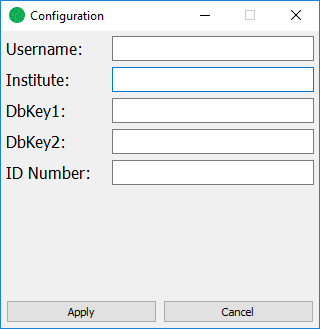
To input configuration (such as username and institute), go to the File menu and click Configuration. Fill in all relevant information and click Apply, then close the window. This information will be saved in the save file.
Selection
Use selection window or the image itself to select areas that have been identified. Selectable areas are shown on the image with a red box. Once clicked, they will turn blue and be added to the selected list.
To select with the edit window, select an entry (or multiple entries while holding Shift) and click the add button.
The comments for selected items can be edited by double clicking the comment space in the selected list.
Saving
To save, select the “Save” option on the file menu, and set the location for the save file. All marked pads and configuration will be stored here.